
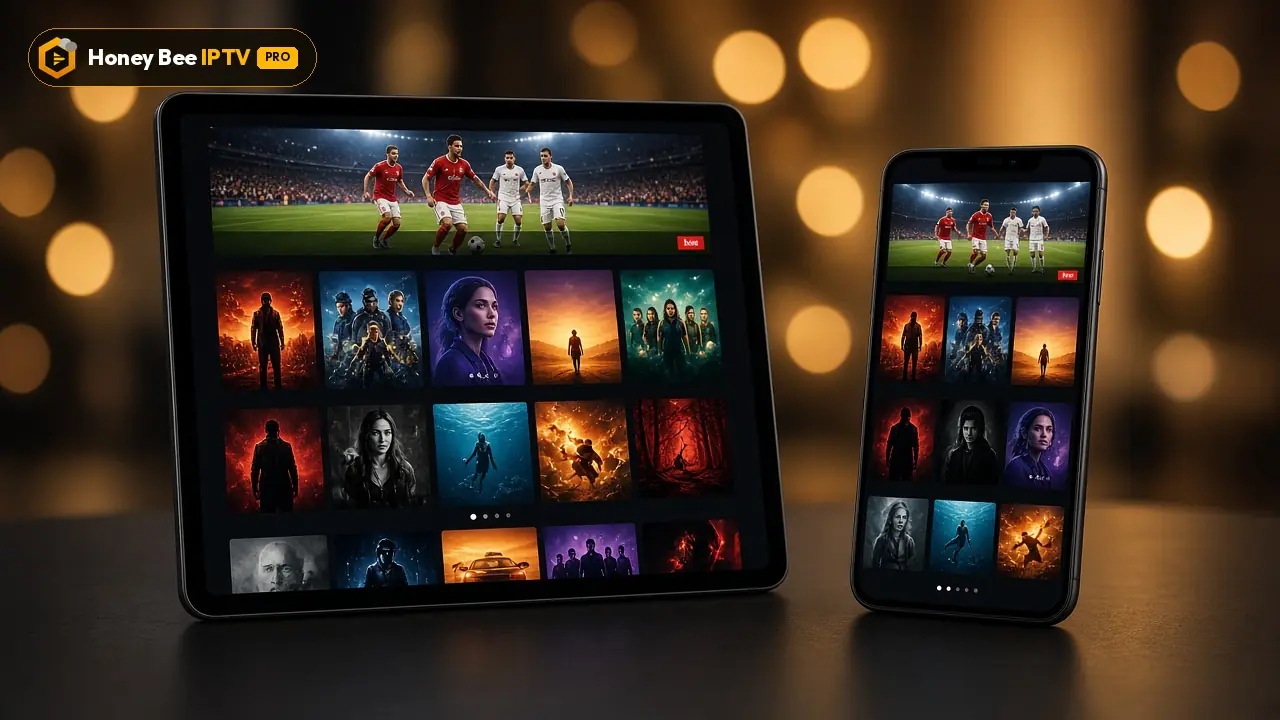
Honey Bee IPTV on iPhone and iPad
Your iPhone and iPad make great second screens for Honey Bee IPTV: follow the game in the kitchen, watch a series in bed or keep the kids happy on a long drive. Setup takes about five minutes, because players come straight from the App Store.
Jump to a section
- What you need
- Step 1: Install a player from the App Store
- Step 2: Sign in with your Honey Bee IPTV login
- Step 3: Find your way around
- Step 4: Settings worth changing
- Watching on the TV with AirPlay
- Saving mobile data
- Picture-in-picture and background play
- iPad tips
- Troubleshooting on iPhone and iPad
- Using iPhone with other devices
- Travelling with your iPhone
- Ready to watch on iPhone or iPad?
- Choosing the right iOS player
- Battery and heat
- Using the iPhone as a remote
What you need
- An iPhone or iPad with a recent version of iOS or iPadOS
- An Apple ID signed in to the App Store
- Wi-Fi or a good 4G LTE / 5G signal
- Your Honey Bee IPTV login from WhatsApp
Step 1: Install a player from the App Store
- Open the App Store.
- Tap Search and type IPTV Smarters Pro.
- Tap Get and confirm with Face ID, Touch ID or your password.
- Open the app and allow it to use the local network if asked. That permission is needed for AirPlay and casting.
Other good options are GSE Smart IPTV and similar players with recent updates and clear developer information. Avoid apps that ask for payment details for content inside the app; we never sell subscriptions through an app.
Step 2: Sign in with your Honey Bee IPTV login
The easy way is to copy and paste straight from WhatsApp:
- Open our WhatsApp message with your login.
- Press and hold on the server address and tap Copy.
- Switch to IPTV Smarters Pro and tap Login with Xtream Codes API.
- Paste the server address into URL, then copy and paste your username and password the same way.
- Enter any name for the profile and tap Add user.
The app downloads live channels, movies, series and the guide. On iPhone, that usually takes less than a minute.
Step 3: Find your way around
- Live TV lists categories; tap one to see channels with the current programme.
- Movies and Series show posters by category, with search at the top.
- Catch up appears on channels that support it.
- Favourites: press and hold a channel or title and choose Add to favourites.
- Multi-screen in some versions lets you watch several channels at once on iPad.
Step 4: Settings worth changing
In IPTV Smarters Pro Settings:
- Player selection: try the default player first; if a channel stutters, switch to the alternative player.
- Time format: choose 12-hour for US-style guide times.
- EPG time shift: adjust if listings appear an hour off.
- Parental control: set a PIN and lock adult categories before handing the iPad to children.
Watching on the TV with AirPlay
Many iOS players support AirPlay, so you can send the picture to an Apple TV or an AirPlay-compatible Samsung, LG, Sony or Vizio TV:
- Start playing a channel.
- Tap the AirPlay icon in the player, or open Control Center and tap Screen Mirroring.
- Choose your TV.
AirPlay is handy for a quick game on the hotel TV. For everyday living-room viewing, installing the app directly on the TV or an Apple TV gives a better picture and frees up your phone. See the Apple TV guide.
Saving mobile data
Video uses a lot of data. Approximate figures per hour:
| Quality | Data per hour |
|---|---|
| SD | about 0.7 GB |
| HD (720p) | about 1.5 GB |
| FHD (1080p) | about 3 GB |
| 4K | about 7 GB |
To save data on the go:
- Choose SD or HD channel versions when you are not on Wi-Fi.
- Turn off Wi-Fi Assist in Settings > Cellular if you do not want the phone to switch to cellular quietly when Wi-Fi is weak.
- In Settings > Cellular, you can turn off cellular access for the player completely and use it on Wi-Fi only.
Picture-in-picture and background play
Some iOS players support picture-in-picture. Start a channel, then swipe up to go home: the video shrinks to a corner window and keeps playing while you check messages. If your player does not support it, the stream pauses when you leave the app.
iPad tips
The iPad's bigger screen makes it a great personal TV:
- Use landscape for the full guide view.
- In Split View, keep a game playing next to your browser or email (in players that support it).
- Stand the iPad on a case or stand and connect Bluetooth headphones for late-night viewing without waking the house.
- For kids, create a separate profile and turn on parental controls. Our post on parental controls and kids' channels explains how.
Troubleshooting on iPhone and iPad
| Problem | What to try |
|---|---|
| "Invalid login" | Paste each field again; remove spaces at the end |
| Channels play but no guide | Settings > Refresh EPG; wait a minute |
| Buffering on cellular | Choose HD or SD; move to Wi-Fi or a stronger 5G signal |
| AirPlay button missing | Allow local network access in iPhone Settings > Privacy > Local Network |
| Sound but black screen | Switch the player engine in settings |
| App closes during playback | Update the app and iOS; restart the iPhone |
Using iPhone with other devices
Many customers install their login on an iPhone and on the living-room TV. That is fine: there is no limit on installations. Your plan limits how many play at the same time. If the phone and the TV need to play together, choose 2 connections; for a family with an iPad, a phone and a TV going at once, choose 3. The multi-screen page explains how it works.
Travelling with your iPhone
Your login works on hotel Wi-Fi and mobile data across the US and abroad. If a hotel network blocks streaming, mobile hotspot from your phone often works better. Our post on IPTV for RV and travel in the USA covers campground Wi-Fi and data plans.
Ready to watch on iPhone or iPad?
Ask for the free 24-hour trial and tell us you are on iPhone or iPad. Plans start at $13 for one month on the pricing page.
Choosing the right iOS player
The App Store has many IPTV players. Here is what to look for:
| Feature | Why it matters |
|---|---|
| Xtream Codes login | Loads live TV, movies, series and the guide in one step |
| EPG guide | Shows what is on now and next |
| Picture-in-picture | Keeps a game playing while you use other apps |
| AirPlay support | Sends the picture to your TV |
| Parental controls | Locks categories for kids |
| Recent updates | Fewer bugs on the latest iOS |
IPTV Smarters Pro ticks most boxes for free. Paid players may add a more polished guide or extra features; try the free option first and upgrade only if you miss something.
Battery and heat
Streaming video for hours uses battery and can warm your phone. To keep it comfortable:
- Lower the screen brightness a little; the display uses the most power.
- Use Wi-Fi rather than cellular when possible; cellular radios use more power.
- Remove thick cases during long viewing in warm rooms.
- Keep the phone plugged in for a full game, ideally with an Apple-certified cable.
Using the iPhone as a remote
Some customers use their iPhone mostly as a companion: they watch on the TV and use the phone to check the guide or search for a movie, then start it on the TV. The Apple TV Remote in Control Center controls an Apple TV, and the Fire TV app controls a Fire TV Stick, so you can keep the phone in hand and the picture on the big screen.








Plans and prices
Same channels and library in every plan. Pick a length and a number of screens, pay once in USD.
1 month · 1 screen
$13
$13 / month
Flexible, month by month
- 44,000+ live channels
- 186,000+ movies + 12,000+ series
- HD, FHD and 4K streams
- Full EPG TV guide
- Smart TV, Fire TV Stick, Android, iPhone/iPad, PC/Mac, MAG, Formuler
- Stable servers
- Fast WhatsApp activation
- Daily support on WhatsApp
Activated over WhatsApp, usually within minutes
3 months · 1 screen
$33
$11 / month
You keep $6 vs 3 × monthly
- 44,000+ live channels
- 186,000+ movies + 12,000+ series
- HD, FHD and 4K streams
- Full EPG TV guide
- Smart TV, Fire TV Stick, Android, iPhone/iPad, PC/Mac, MAG, Formuler
- Stable servers
- Fast WhatsApp activation
- Daily support on WhatsApp
Activated over WhatsApp, usually within minutes
6 months · 1 screen
$52
$8.66 / month
You keep $26 vs 6 × monthly
- 44,000+ live channels
- 186,000+ movies + 12,000+ series
- HD, FHD and 4K streams
- Full EPG TV guide
- Smart TV, Fire TV Stick, Android, iPhone/iPad, PC/Mac, MAG, Formuler
- Stable servers
- Fast WhatsApp activation
- Daily support on WhatsApp
Activated over WhatsApp, usually within minutes
12 months · 1 screen
$69
$5.75 / month
You keep $87 vs 12 × monthly
- 44,000+ live channels
- 186,000+ movies + 12,000+ series
- HD, FHD and 4K streams
- Full EPG TV guide
- Smart TV, Fire TV Stick, Android, iPhone/iPad, PC/Mac, MAG, Formuler
- Stable servers
- Fast WhatsApp activation
- Daily support on WhatsApp
Activated over WhatsApp, usually within minutes
Need 2 or 3 screens at the same time?
Same content, more simultaneous streams. Tap a price to order it on WhatsApp.
| Screens | 1 month | 3 months | 6 months | 12 months |
|---|---|---|---|---|
| 1 connection | $13$13 / month | $33$11 / month | $52$8.66 / month | $69$5.75 / month |
| 2 connections | $22$22 / month | $52$17.33 / month | $75$12.50 / month | $99$8.25 / month |
| 3 connections | $32$32 / month | $72$24 / month | $99$16.50 / month | $139$11.58 / month |
Prices are in US dollars and you pay once for the whole period. There is no contract and nothing renews on its own. Every plan carries the same 44,000+ channels, 186,000+ movies and 12,000+ series; you only choose how long and how many screens. Not sure yet? Start with the free 24 hours test. Get the free trial.
Questions people ask us
Which iPhone app works with Honey Bee IPTV?
IPTV Smarters Pro is the easiest. GSE Smart IPTV and other App Store players also work with your Xtream login or M3U link.
Can I AirPlay Honey Bee IPTV to my TV?
Many iOS players support AirPlay, so you can send the picture to an Apple TV or an AirPlay-compatible Smart TV. Some streams may be blocked from AirPlay by the player, in which case install the app on Apple TV.
How much data does IPTV use on mobile?
Roughly 0.7 GB per hour in SD, 1.5 to 3 GB per hour in HD and up to 7 GB per hour in 4K. On mobile data, stick to SD or HD.
Does it work on cellular data?
Yes, on 4G LTE and 5G. Speeds vary with signal, so live sports are best on Wi-Fi or strong 5G.
Can I watch on iPhone and TV at the same time?
With a 1-connection plan, one screen plays at a time. Choose 2 or 3 connections if you want the phone and the TV playing together.
Can I use picture-in-picture?
Some iOS players support picture-in-picture, so a game keeps playing in a small window while you use other apps.
Can kids use Honey Bee IPTV on an iPad safely?
Yes, if you set a PIN in the player's parental controls, lock adult categories and use Screen Time on the iPad to limit app use and hours.
Can I download movies to watch offline on iPhone?
Most IPTV players stream rather than download, so you need a connection. Plan ahead and use Wi-Fi before trips with no signal.
Does Honey Bee IPTV work on older iPhones?
Most players support iPhones from recent iOS versions. If your iPhone cannot install the current player, try an older-compatible player or watch through a browser-based player.